Smart cities and traffic
Helmet and traffic violation detection on highways and junctions, and crowd monitoring in public areas.
Deep-learning video analytics
Purpose-trained models watch live and recorded camera video for security, safety, traffic and operational events, and raise alerts in real time.
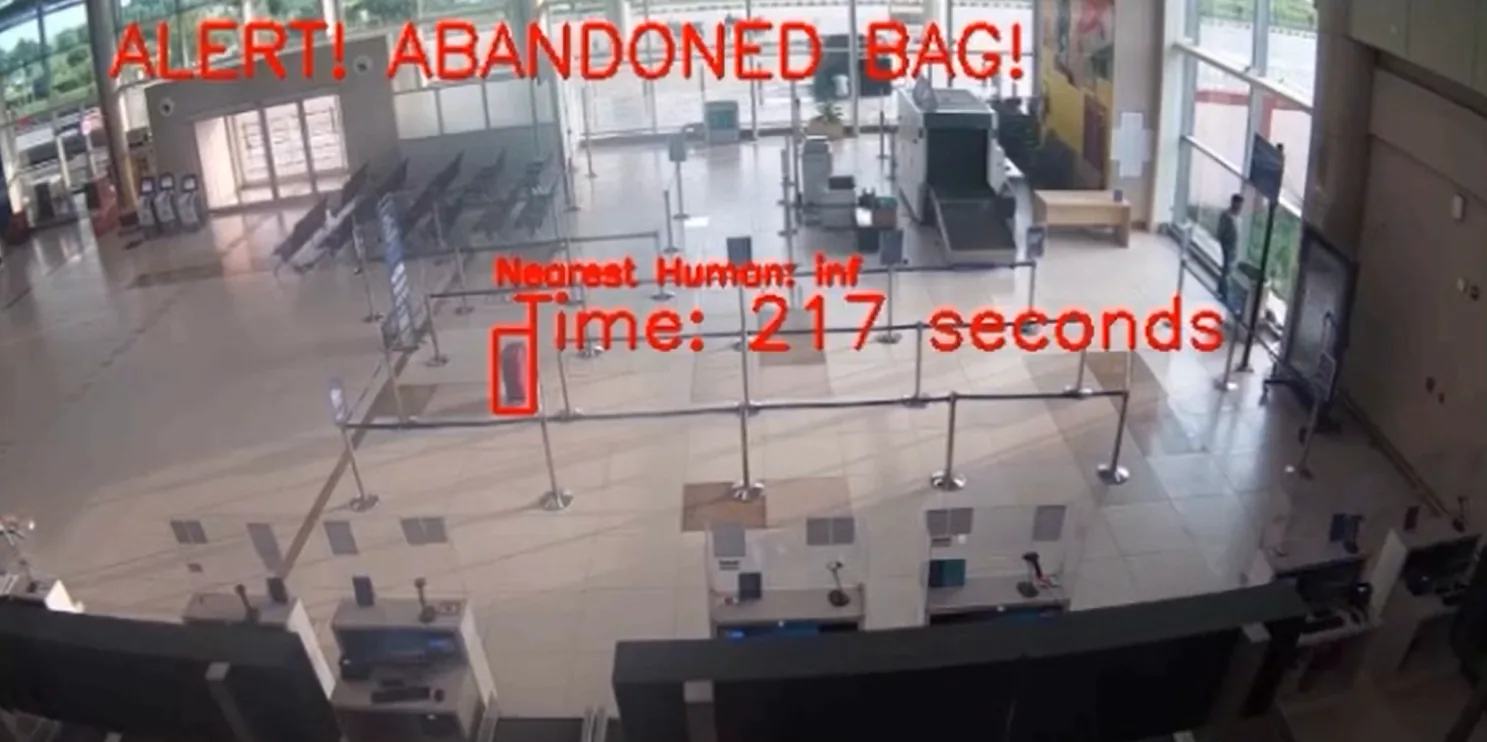
It analyses camera video, turns what it finds into structured events and alerts the people who need to act.
A control room usually has more cameras than its operators can watch at once. Events can be missed live and found only later, in playback.
AI Video Analytics runs purpose-trained deep-learning models on the camera streams. The models detect people, objects, vehicles and behaviours in real time. Each detection is checked against the rules set for that camera, and what qualifies is raised as an alert.
Detections are also kept as metadata, so recorded video can be searched by what is in it and not only by time.
Each module is a deep-learning model trained for one purpose, with its own rules engine. Modules are chosen per camera, so one site can run several.
The analytics draw what they find on the video frame: a box round the detection and a text label. These three frames are analytics output from real footage.
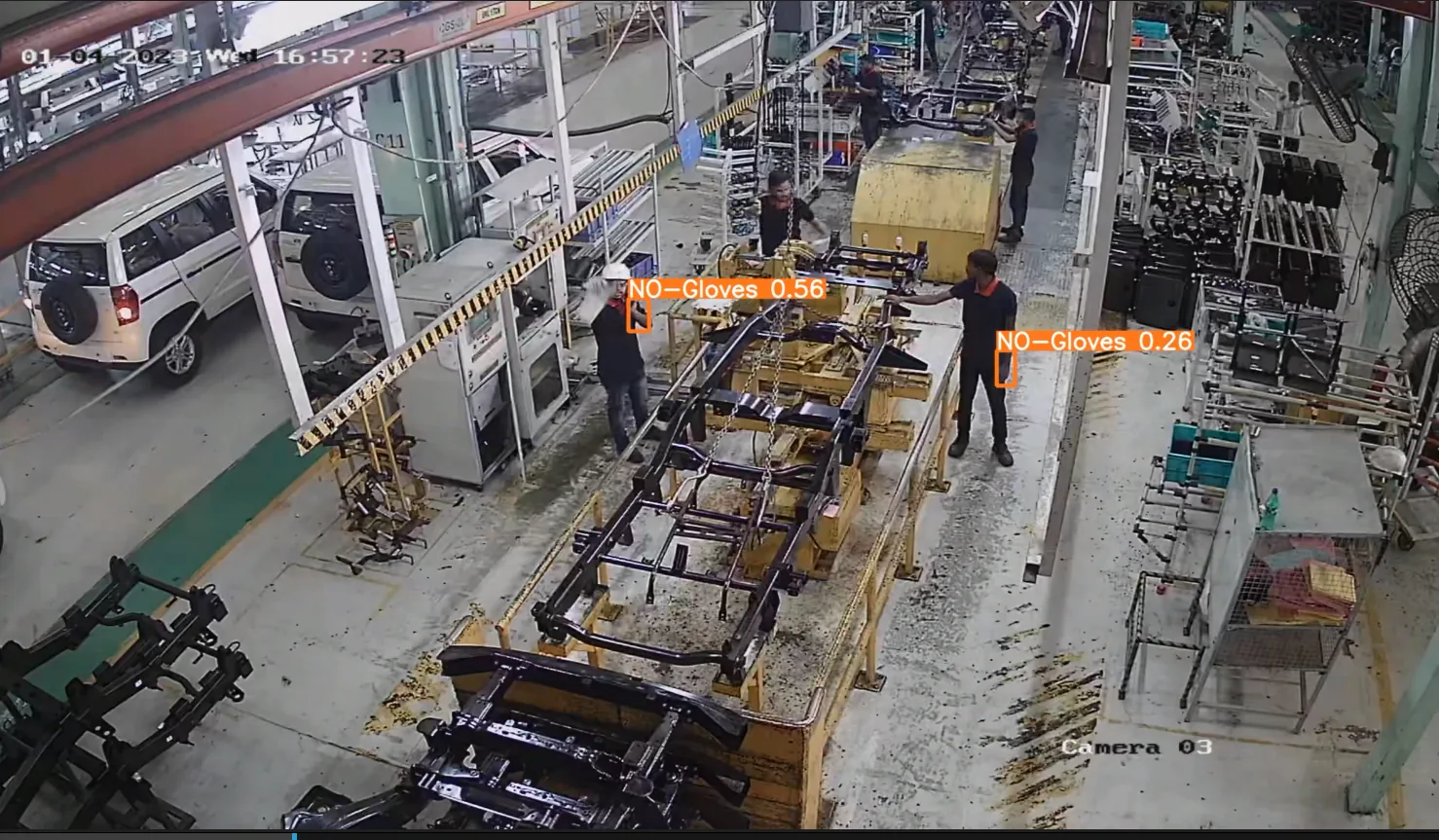
This overhead frame shows the gloves check of the PPE compliance module. Orange boxes mark the bare hands of two workers. A marked frame shows what was flagged and where in the scene.
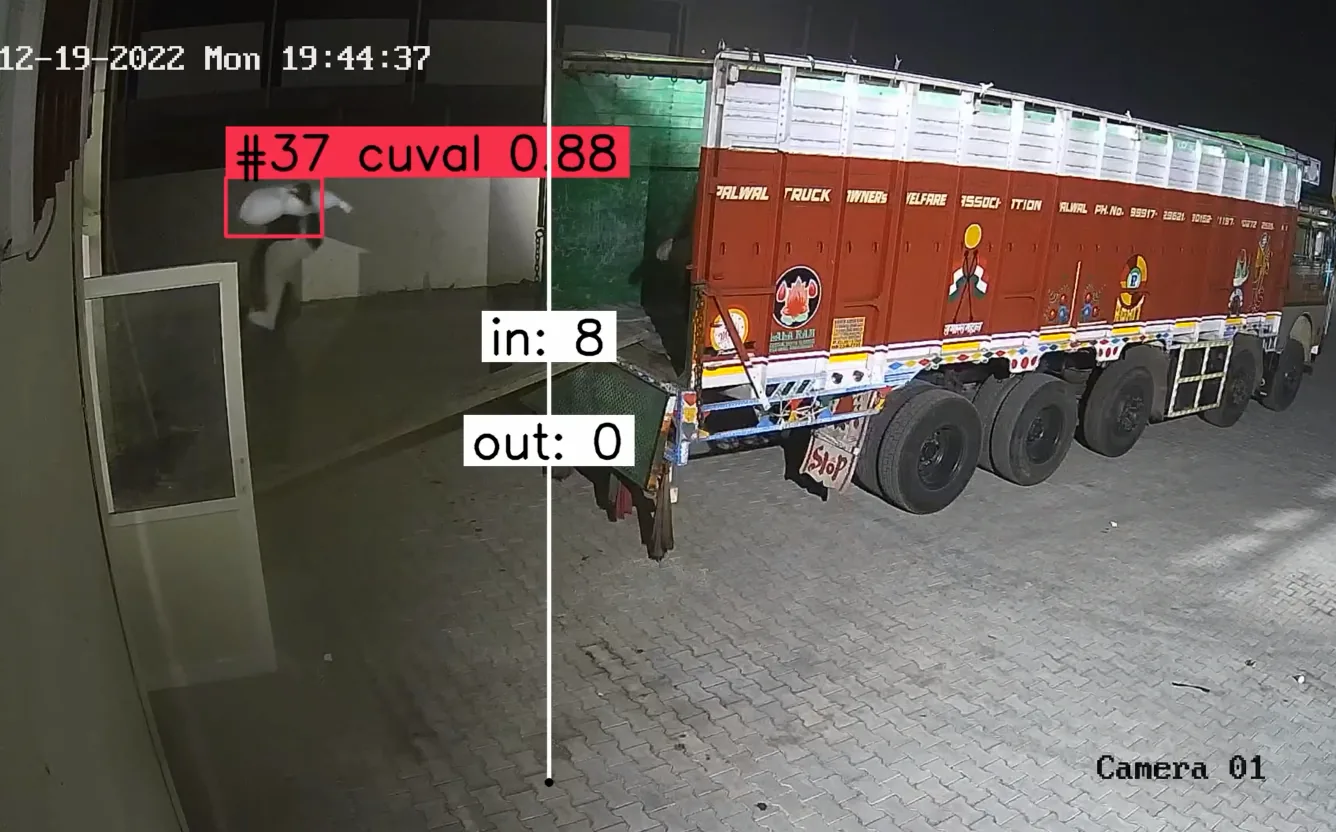
A counting line is set across the camera view. Each crossing adds to an in counter or an out counter, shown here on a night view of a loading dock.
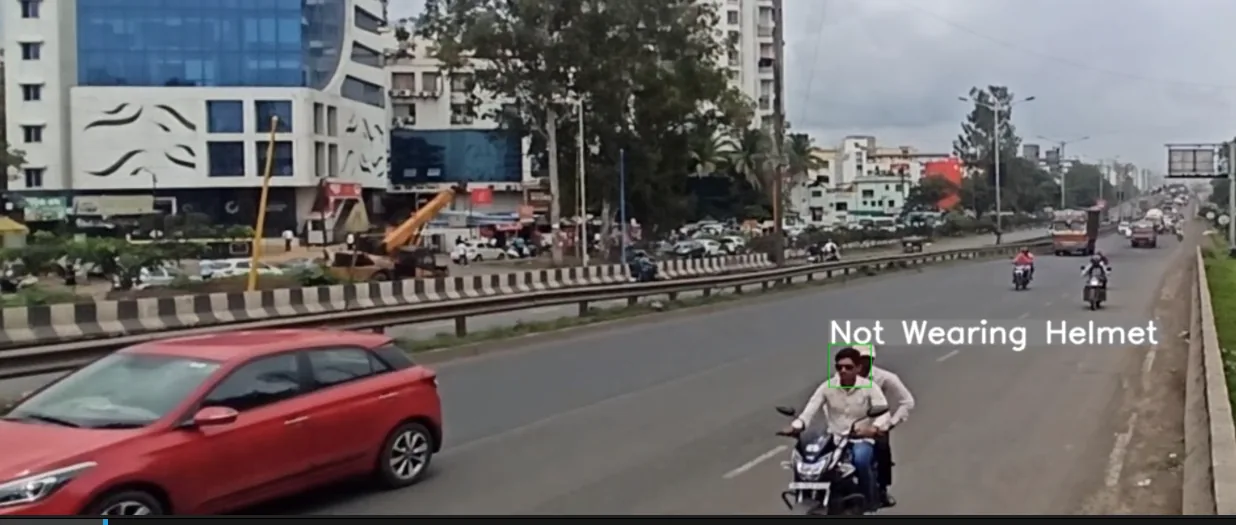
A rider without a helmet is marked and labelled on a highway camera. For traffic enforcement the module can be paired with automatic number-plate recognition (ANPR), so that a violation becomes a plate-linked evidence record.
Zones, schedules and confidence thresholds are set for each camera. With scene calibration, they are the controls used to keep false alarms down.
Field conditions
Models are trained and hardened for glare, dust, monsoon rain, low light, dense crowds and mixed camera quality. Results still depend on camera position and lighting, which is why a rollout starts with a site survey and camera audit.
The same modules run in three places, and one estate can mix them. Network and GPU sizing follows the site survey.
| Option | Suits | Where the models run |
|---|---|---|
| Edge | Sites with poor or no connectivity. Detection keeps working when the link is down. | On the camera or on an edge box |
| On-premise | Sites where video must stay on the network, including air-gapped sites. | On GPU servers on your own network |
| Cloud | Multi-site estates that need central dashboards, updates and storage. | On cloud instances |
The analytics take video from the cameras a site already has and send events to the systems its teams already use.
Each sector uses a different mix of modules. These pages describe the typical deployments.
Helmet and traffic violation detection on highways and junctions, and crowd monitoring in public areas.
Intrusion detection with tripwires and restricted zones on site perimeters, running on air-gapped networks.
Unattended-baggage alerts in terminals, and crowd monitoring on platforms and concourses.
Heatmaps, dwell time and people counting in stores, and queue-length alerts at billing counters.
PPE compliance on production lines, danger-zone alerts on shop floors, and in and out counting at docks.
Unattended-baggage and crowd analytics on server GPUs, with alerts sent to the terminal control room.
Datasheet
Deep-learning video analytics software. Purpose-trained models analyse live and recorded camera video, apply per-camera rules and send real-time alerts.
| Product | AI Video Analytics, deep-learning video analytics software |
|---|---|
| Models | Purpose-trained deep-learning models, each with a rules engine |
| Video input | Live and recorded video from existing IP cameras and network video recorders, over ONVIF and RTSP |
| Security modules | Intrusion detection (tripwire, restricted zones); loitering detection; object detection (abandoned objects, missing objects, unauthorised removal); crowd monitoring (density, flow, suspicious behaviour); face recognition |
| Safety modules | Fire and smoke detection; personal protective equipment (PPE) compliance (hard hat, vest, gloves, mask) |
| Traffic modules | Helmet and traffic violations (no helmet, triple riding, wrong way); vehicle analytics (classification, direction, dwell and parking, under-vehicle inspection) |
| Operations modules | People counting (in and out, both directions); heatmap and dwell time; video synopsis (search by class, colour, direction or time) |
| Per-camera settings | Zones, schedules and confidence thresholds |
| False-alarm control | Scene calibration |
| Custom models | Model training for site-specific objects |
| Alert routing | Video management software (VMS), SMS, email or webhook |
| API | REST API and webhooks for events, metadata and alerts |
| Deployment | Edge devices, on-premise GPU servers or cloud instances |
| Sizing | Determined during the site survey |
Videolytical Systems Pvt. Ltd., 277, C Block, Sector 63, Noida, Uttar Pradesh, India. Sales and demos: sales@videolytical.com, +91 97160 05441.
Usually not. The analytics are added through edge boxes or GPU servers that take the streams of your existing IP cameras and recorders over ONVIF and RTSP. Existing cameras are reviewed in the site survey and camera audit.
Yes. The models run offline on edge devices or on-premise GPU servers. Cloud is an option for multi-site estates. Detection and alerting do not depend on it.
Yes. Custom models can be trained for site-specific objects. Which models are selected and which are trained is decided in the AI model design step of how we deliver.
Rules are limited by zone, schedule and confidence threshold, and scene calibration is used to suppress false alarms. A pilot on a small set of cameras shows the results on your own scenes before scale-out. Our guide to reducing false alarms explains the controls.
Videolytical delivers with OEMs (camera and hardware makers), security solution providers and system integrators. Delivery includes testing and calibration, and optimisation continues after handover.
Arrange a live demo, or send a sample clip and we will run the modules you choose on the scenes you care about.