Airports and transport
One console for terminal cameras, grouped by area from aerobridge to arrivals.
Video management software
Live view, event recording and playback for your cameras, in one console. Alerts from video analytics appear in the same place.
VMS Enterprise is the video management software (VMS) in the Videolytical platform. Operators use it to watch cameras, record events and find footage afterwards.
A site with many cameras needs more than a recorder. Operators need views that match how the site is run, and a quick way back to the moment something happened. Administrators need to know when a stream drops or a server is under load. VMS Enterprise does these jobs in one console.
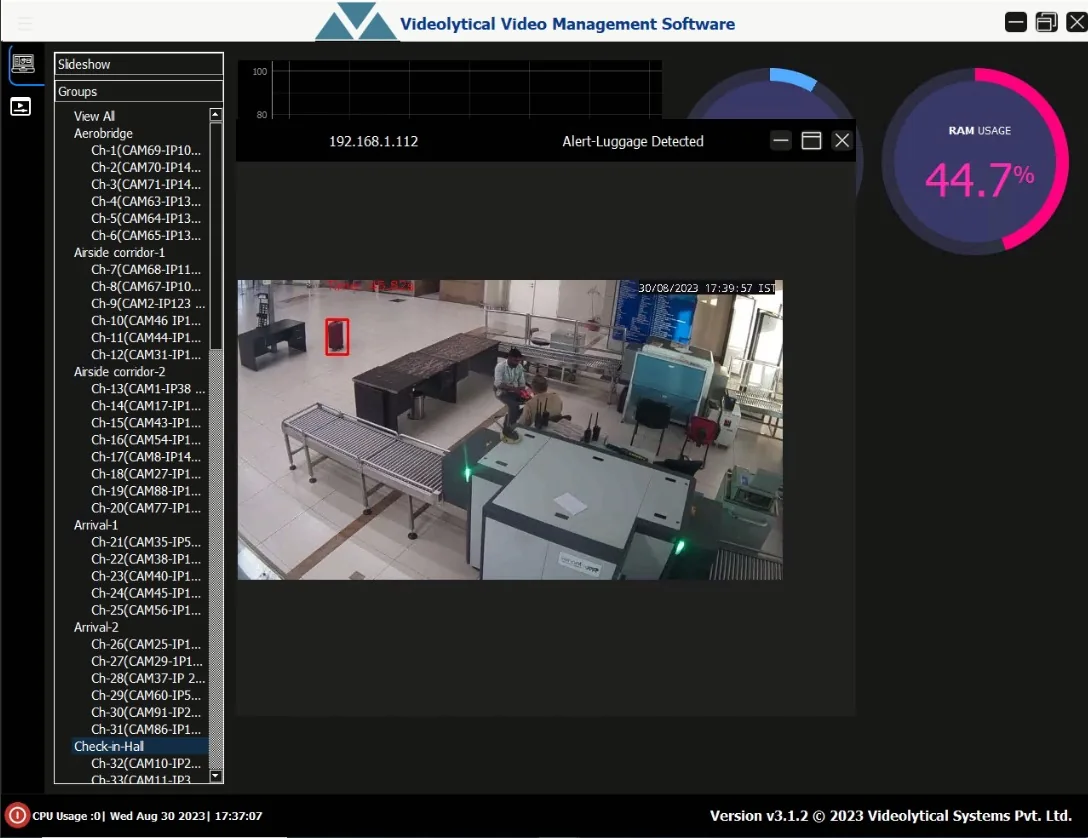
The screen at the top of this page is the console. The camera tree on the left holds groups named after areas of a site: Aerobridge, Airside corridor, Arrival and Check-in Hall. Above the tree is a slideshow option. A luggage alert has opened as a pop-up, showing the camera frame with the suitcase marked by a red box. A gauge reports RAM usage and the status bar reports CPU usage.
Read the guide: what a control room should expect from its VMS
The functions an operator uses through a shift: watching, recording, reviewing and checking that the system is healthy.
How camera views are laid out on an operator's screen and shared on a control room wall.
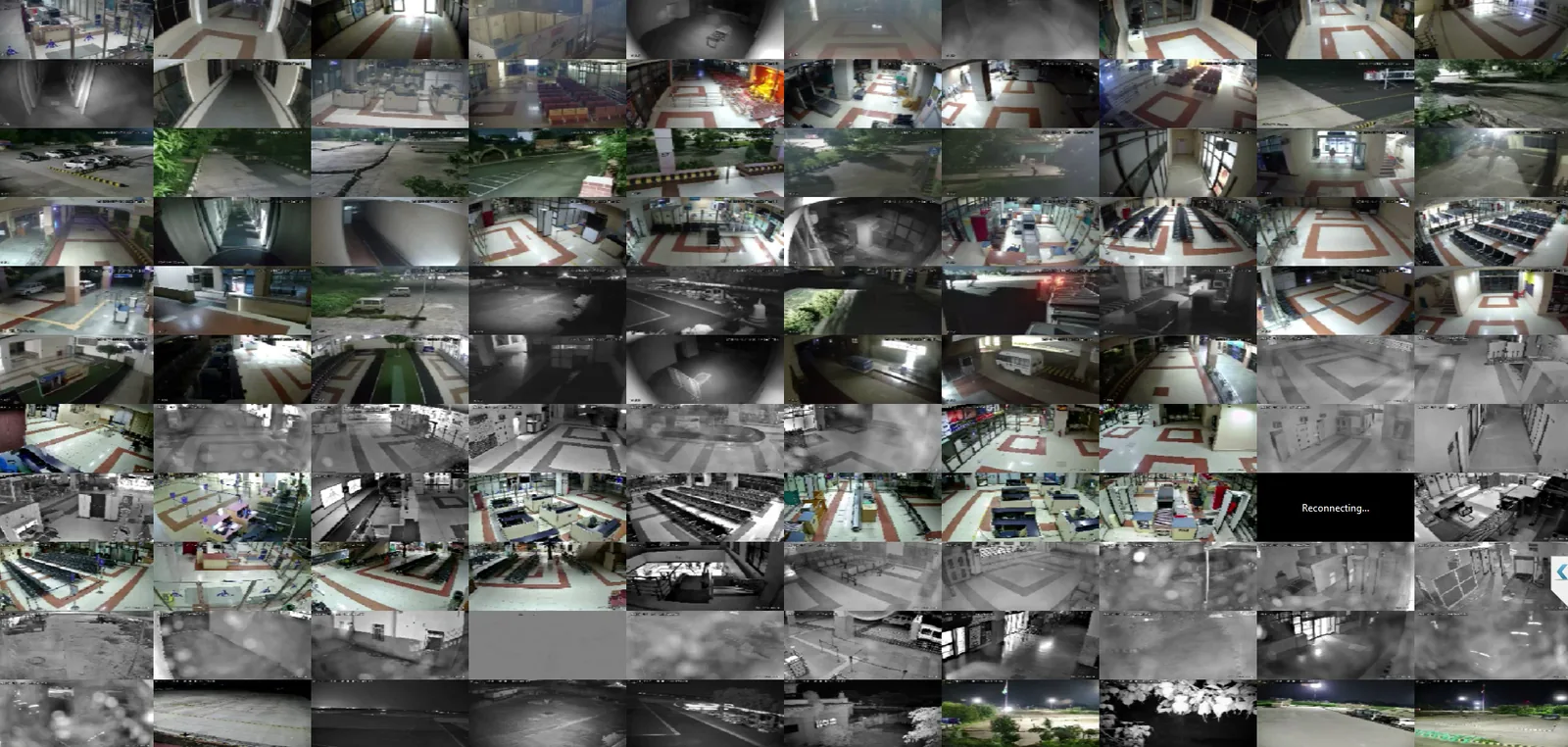
Camera wall with indoor and outdoor views.
This camera wall holds indoor and outdoor views side by side. Many are in black-and-white night mode. One tile reads "Reconnecting...", so the operator can see which stream has dropped.
A dense wall suits an overview. For detail, operators typically switch to a layout with fewer, larger views.
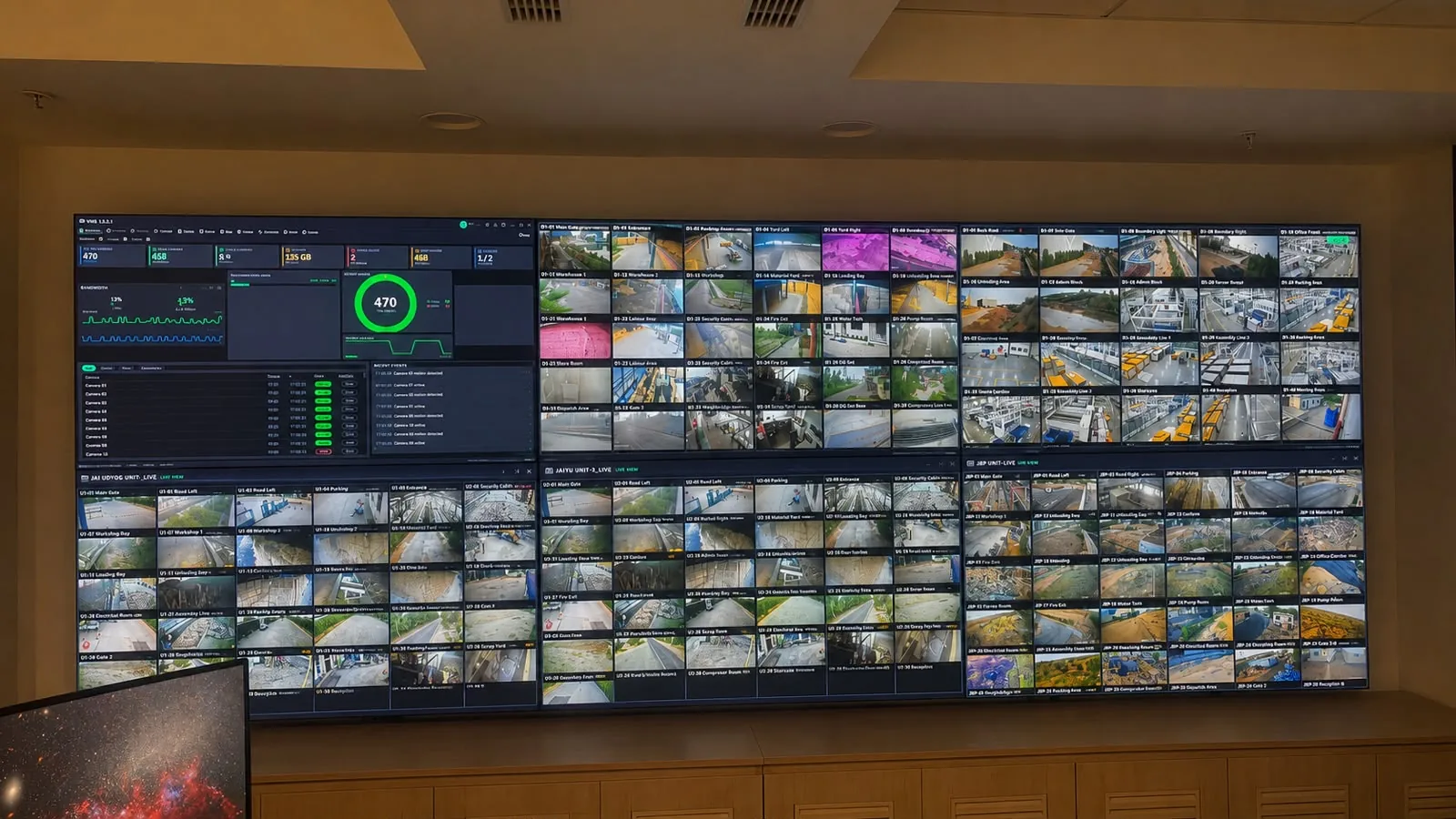
Control room video wall.
In a control room, the views a team shares go up on a video wall.
Command and Control is the Videolytical product for that room. It adds multi-monitor video walls with drag-and-drop layouts.
A typical sequence when an analytics alert arrives. Each site sets its own operating procedure.
An analytics alert appears in the console with the camera frame that raised it.
Instant replay shows what happened just before. Live view shows what is happening now.
An event bookmark marks the moment, so the footage is easy to find later.
Playback and smart search bring the footage back when the incident is reviewed.
The Videolytical platform runs at the edge, on-premise or in the cloud. The options can be mixed in one estate.
| Option | Where it runs | What it offers |
|---|---|---|
| Edge | On the camera or an edge box | Keeps working without connectivity |
| On-premise | On GPU servers on the customer's premises | Video stays on the customer's network. Suits air-gapped sites. |
| Cloud | In the cloud | Central dashboards, updates and storage for multi-site estates |
Choosing and sizing
Start from where video is allowed to go and how each site is connected. Network and server capacity are then sized from the site survey. Read about deployment options.
VMS Enterprise is part of the Videolytical platform. These are the platform's integration points.
Video management software suits sites where many cameras are watched from one room.
One console for terminal cameras, grouped by area from aerobridge to arrivals.
Safe-city surveillance, with live feeds to the city command and control centre.
How the cameras of a busy airport terminal were brought into one console.
Datasheet
Video management software for live view, event recording and playback, with analytics alerts in the same console. Interfaces, access control, security and deployment options are those of the Videolytical platform.
| Product | VMS Enterprise, video management software |
|---|---|
| Version | 3.1 |
| Views | Camera groups and logical views, layouts, slideshow walls |
| Video | Live view, event recording, playback |
| Review tools | Event bookmarks, instant replay, smart search |
| Health telemetry | CPU, RAM and stream status per node |
| Analytics alerts | Alerts from Videolytical AI Video Analytics appear in the console |
| Camera support | Existing IP cameras and network video recorders over ONVIF and RTSP |
| Interfaces | REST API and webhooks, SMS and email gateways |
| Access control | AD or LDAP sign-on, role-based access per camera and function |
| Security | TLS-encrypted streams and APIs, audit trail of alerts and operator actions, signed software updates |
| Deployment | Edge, on-premise or cloud. Options can be mixed in one estate. |
| Offline operation | Air-gapped networks, with signed offline updates |
| Sizing | Determined during the site survey |
Videolytical Systems Pvt. Ltd., 277, C Block, Sector 63, Noida, Uttar Pradesh, India. Sales and demos: sales@videolytical.com, +91 97160 05441.
Yes. It takes video from existing IP cameras and network video recorders over ONVIF and RTSP. The site survey includes an audit of the cameras already installed.
No. An on-premise deployment keeps video inside your network and can run on an air-gapped network, with signed offline updates. The cloud option is for multi-site estates that want central dashboards, updates and storage.
Yes. Videolytical analytics can be shown inside an existing VMS or command-centre console. Alerts can also be sent by SMS, by email or to a webhook.
Yes. Access is role-based, with permissions per camera and per function. Operator actions are written to an audit trail. Read about platform security.
Sizing typically depends on the number of cameras, their resolution and how much video is recorded. For your site, network and server capacity are worked out after the site survey and camera audit.
VMS Enterprise is the console for live view, recording and playback. Command and Control is for the control room: multi-monitor video walls with drag-and-drop layouts, a map overlay of cameras and alerts, escalation workflows, standard operating procedure prompts and audit trails. The two can be used together.
Arrange a live demo, send a sample clip, or ask for an architecture and sizing discussion.