Industry
Defence and paramilitary
Control rooms on sensitive sites, including air-gapped networks with audit requirements.
Control room software
Command and Control gives control room operators multi-monitor video walls, a map of cameras and alerts, and escalation workflows with an audit trail.
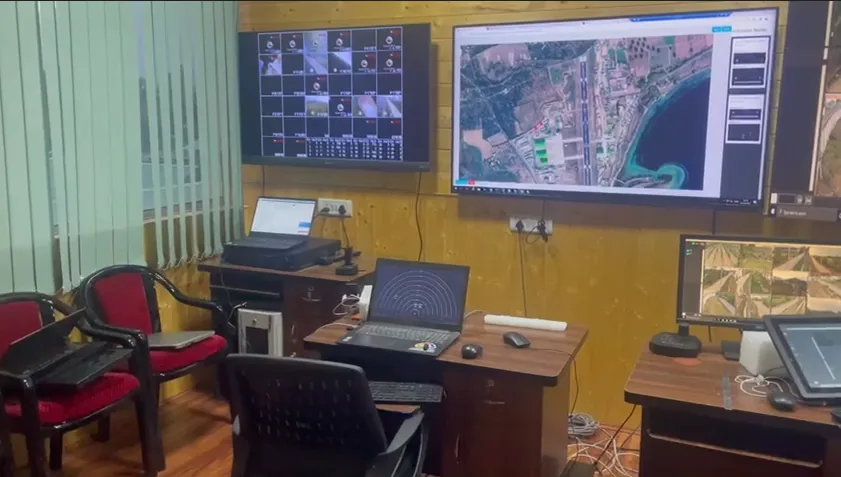
When something happens, a control room has to see it, locate it and respond. Command and Control supports each step. Operators watch live video on multi-monitor walls, find cameras and alerts on a GIS (geographic information system) or satellite map, and respond through escalation workflows and SOP (standard operating procedure) prompts.
Command and Control can be used together with the other Videolytical products. VMS Enterprise, the video management software (VMS), provides live view, recording and playback. AI Video Analytics detects events and sends alerts in real time. Command and Control brings cameras and alerts together on the walls and the map. Alerts and operator actions are written to an audit trail.
The software is used in defence and safe-city control rooms. In rooms like these, a team watches a wide area, each alert needs a clear owner, and a record of what was done is expected.
What the software puts in front of the operator, and what it keeps on record.
An example of how the capabilities are used together, from the first alert to the record of what was done.
The analytics detect an event on a camera and send an alert to the control room in real time.
The alert is shown on the map with the cameras around it, so the operator knows where the event is.
The operator drags the cameras that matter into a wall layout and watches the scene.
An SOP prompt shows the procedure to follow. If the event needs a higher decision, the escalation workflow passes it on.
The alert and the actions taken are written to the audit trail for later review.
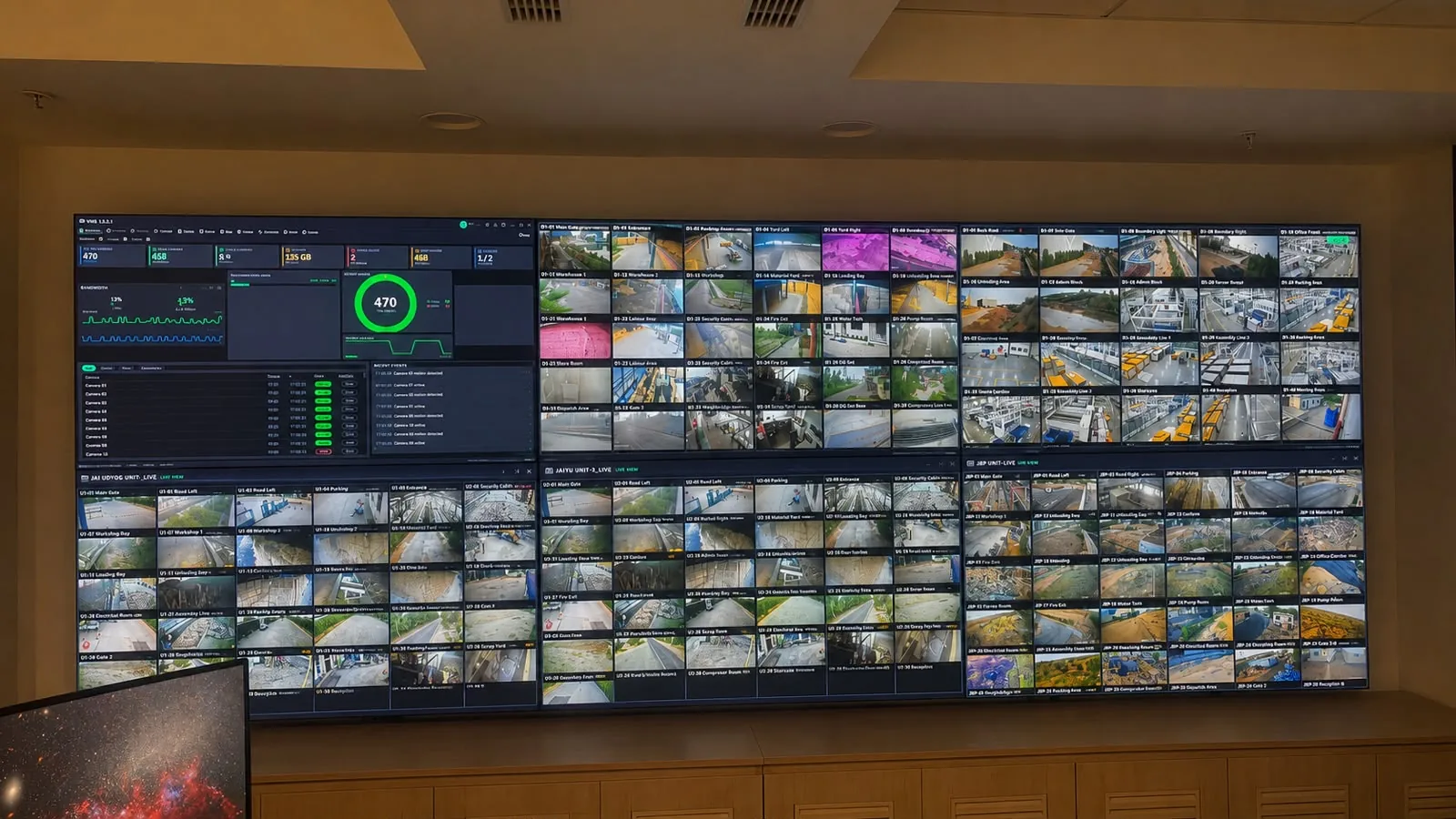
Control room video wall.
Procedures come first
Prompts and escalation depend on the procedures behind them. Before a control room system goes live, it helps to agree where each camera sits on the map, a written procedure for each kind of alert, and who is told when an alert is escalated.
The analytics that send alerts to Command and Control can run at the edge, on-premise or in the cloud. The options can be mixed in one estate.
| Option | Where the analytics run | What it means for the control room |
|---|---|---|
| Edge | On the camera or on an edge box at the site | Detection keeps working at the site when there is no connectivity. |
| On-premise | On GPU servers inside your own network | Video stays inside your network. Suits air-gapped control rooms, which have no outside connection and are updated offline with signed packages. |
| Cloud | On cloud instances | Suits estates with several sites: central dashboards, updates and storage. |
A control room depends on what feeds it and on where its alerts go. These are the connections the platform provides.
Industry
Control rooms on sensitive sites, including air-gapped networks with audit requirements.
Industry
Safe-city command centres that receive live feeds and alerts from cameras across a city.
Case study
A multi-screen control room with camera walls and map correlation on an air-gapped network.
Guide
What a control room should expect from its video management software.
Datasheet
Control room software that shows live video on multi-monitor walls, places cameras and alerts on a GIS or satellite map, and supports alert handling with escalation workflows, SOP prompts and an audit trail.
| Product | Command and Control, control room software |
|---|---|
| Video walls | Multi-monitor video walls with drag-and-drop layouts |
| Map view | GIS (geographic information system) or satellite map overlay of cameras and alerts |
| Alert handling | Escalation workflows and SOP (standard operating procedure) prompts |
| Records | Audit trail of alerts and operator actions |
| Video management | Works with VMS Enterprise, which takes video from existing IP cameras and network video recorders over ONVIF and RTSP |
| Alert sources | AI Video Analytics, Face Recognition, ANPR and Vehicle Intelligence |
| Notifications | SMS and email gateways with escalation rules and schedules |
| Interfaces | REST API and webhooks; analytics can be bridged into an existing VMS or command-centre console |
| Access control | AD or LDAP sign-on; role-based access per camera and function |
| Security | TLS-encrypted streams and APIs; signed model and software updates |
| Deployment | Analytics at the edge, on-premise or in the cloud; options can be mixed in one estate |
| Offline operation | Air-gapped operation with signed offline updates |
| Sizing | Determined during the site survey |
Videolytical Systems Pvt. Ltd., 277, C Block, Sector 63, Noida, Uttar Pradesh, India. Sales and demos: sales@videolytical.com, +91 97160 05441.
Yes. Videolytical analytics can be bridged into an existing VMS or command-centre console, so alerts appear in the system your operators already use. An architecture and sizing discussion is the place to settle which approach fits your site.
Yes. The platform runs on isolated networks. In an air-gapped control room the analytics run on an on-premise server, video stays inside the network, and updates are delivered offline as signed packages.
Alerts come from the Videolytical analytics. Modules include intrusion detection, crowd monitoring, abandoned and missing objects, loitering, fire and smoke, face recognition and number-plate recognition. Zones, schedules and confidence thresholds are set for each camera. See all analytics modules.
Yes. Rollout includes a pilot on a small set of cameras before scale-out. Before that, we can give a live demo on your own footage or review a sample clip.
Videolytical delivers together with camera and hardware makers (OEMs), security solution providers and system integrators. Rollout begins with a site survey and camera audit and ends with handover and training. Optimisation continues after handover.
Arrange a live demo, send a sample clip, or ask for an architecture and sizing discussion for your control room.